
Google Business Profile has become one of the most important tools for businesses that want to improve their local visibility. A complete and active profile helps customers discover businesses through Google Search and Maps while providing important information such as services, reviews, offers, and updates.
Many businesses understand the importance of posting regularly but struggle to maintain consistency. This creates a common question: can you schedule posts on Google My Business?
Unlike social media platforms that include built-in content calendars, Google Business Profile works differently. The platform allows businesses to create posts, but it does not provide a direct scheduling option inside the standard dashboard.
However, businesses can still plan and automate their Google Business Profile content using third-party scheduling tools. These platforms allow companies to prepare updates in advance, manage multiple locations, and maintain consistent activity without manually publishing every post.
In this guide, we will explain how Google Business Profile posts work, whether scheduling is possible, which tools can help, and how businesses can create an effective posting strategy.
Can You Schedule Posts on Google My Business?
Yes, you can schedule Google Business Profile posts, but not directly through Google’s own dashboard. Google currently allows businesses to publish posts manually, but it does not include a built-in scheduling calendar.
To schedule posts automatically, businesses can use third-party tools such as SocialBee, MeetEdgar, BrightLocal, or other local marketing platforms. These tools allow you to create posts in advance, select publishing dates, and manage multiple business profiles from one place.
Scheduling helps businesses stay active, save time, and maintain a consistent presence in local search results.
The Role of Scheduling Tools in Managing Google Business Profile Updates
The question Can you schedule posts on Google My Business is common among business owners who want to maintain an active local presence without spending hours managing updates. Google Business Profile posts help businesses share promotions, announcements, events, and service updates directly with potential customers.
However, unlike social media platforms, Google Business Profile does not offer a built-in scheduling feature. Businesses can publish posts manually through Google Search or Google Maps, but this approach becomes difficult for companies that want to maintain a consistent posting schedule.
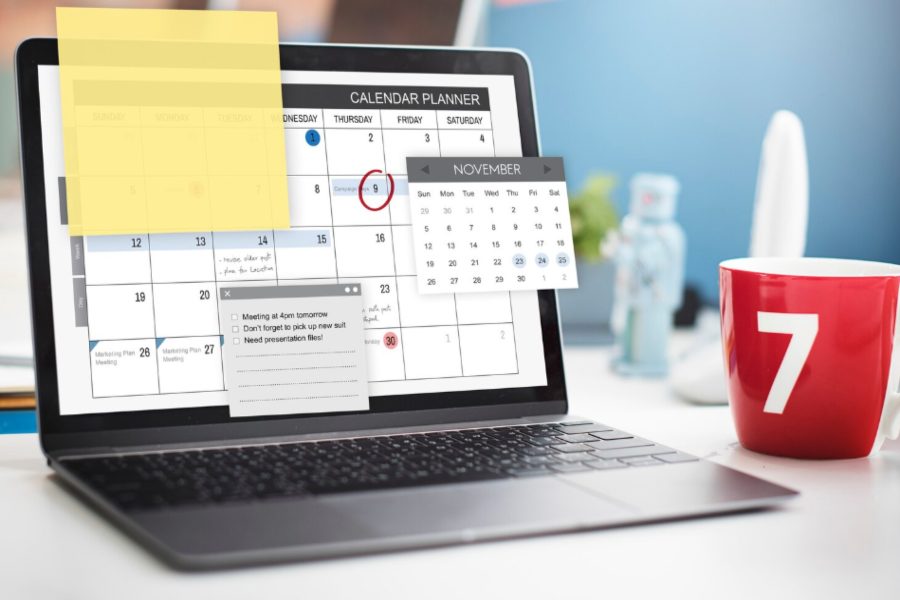
Third-party scheduling tools solve this challenge by allowing businesses to prepare content in advance, organize posting calendars, and automate publishing. These tools are especially useful for businesses managing regular promotions, seasonal campaigns, or multiple locations.
A Google Business Profile scheduling solution helps businesses:
- Maintain consistent updates
- Save time on content management
- Plan marketing campaigns ahead
- Manage multiple business locations
- Monitor post performance
By using scheduling tools, businesses can simplify their local marketing process and keep their Google Business Profile active without constant manual updates.
How Google Business Profile Posts Work and Why Regular Updates Matter
Google Business Profile posts appear directly within a company’s listing on Google Search and Maps. They provide customers with fresh information before they decide whether to visit, call, or purchase.
Common Google Business Profile post types include:
Updates Posts
These posts are useful for sharing general business news.
Examples:
- New services
- Company announcements
- Team updates
- Business milestones
Offer Posts
Offer posts help businesses promote special deals.
Examples:
- Discounts
- Seasonal promotions
- Limited-time offers
Event Posts
Businesses can promote upcoming activities.
Examples:
- Workshops
- Store events
- Online sessions
Product Posts
These posts highlight specific products or services.
Regular posting keeps a business profile fresh and gives customers more reasons to interact with the listing.
A consistent posting strategy can also support local SEO efforts because active profiles often create stronger customer engagement signals.
However, manually creating posts every week can become difficult. This is why many businesses search for ways to schedule Google Business Profile posts automatically.
Why Businesses Use Google Business Profile Post Scheduling Tools
Using a scheduling tool provides several advantages for businesses that want better local visibility.
Save Time and Improve Productivity
Instead of logging into Google every few days, businesses can create several posts at once and schedule them ahead of time.
A business owner can spend one hour planning content for an entire month instead of interrupting daily operations to create individual posts.
Maintain Consistent Visibility
Consistency is important for local marketing. A profile that receives regular updates looks more active and reliable.
Scheduling prevents businesses from forgetting important updates during busy periods.
Plan Marketing Campaigns in Advance
Businesses can prepare content around:
- Holiday sales
- Seasonal offers
- Product launches
- Community events
- Special announcements
This makes campaigns easier to organize and execute.
Manage Multiple Business Locations
Companies with multiple branches can benefit significantly from scheduling tools. Instead of updating every location separately, they can manage several profiles from one dashboard.
How to Schedule Google Business Profile Posts Using Third-Party Tools
Since Google does not provide a built-in scheduler, businesses need external platforms that support Google Business Profile integration.
The general process is simple:
Connect Your Google Business Profile
First, connect your Google account that has manager or owner access to the business profile.
Create Your Content
Prepare your post with:
- Description
- Images
- Website links
- Call-to-action buttons
Select Publishing Time
Choose the date and time when you want the post to appear.
Monitor Results
After publishing, review performance metrics such as:
- Views
- Clicks
- Customer actions
- Engagement
Popular scheduling platforms include:
- SocialBee
- MeetEdgar
- BrightLocal
- Semrush Social
- Local SEO management tools
These platforms are especially useful for agencies and businesses managing multiple profiles.
Best Practices for Scheduling Google Business Profile Posts
Scheduling posts saves time, but businesses still need a good content strategy.
Create Useful Content
Avoid posting only promotional messages. Mix sales content with helpful updates.
Examples:
- Customer tips
- Industry information
- Product education
- Behind-the-scenes content
Use High-Quality Images
Visual content helps posts attract attention. Use real photos of products, locations, employees, or services.
Add Clear Calls to Action
Every post should guide users toward an action.
Examples:
- Call today
- Book an appointment
- Visit our store
- Learn more
Keep Content Updated
Avoid scheduling outdated promotions or expired offers. Review scheduled posts regularly to ensure accuracy.
Can Scheduled Google Business Profile Posts Improve Local SEO?
Many businesses use scheduling to improve visibility in local searches.
While Google does not guarantee that posting directly improves rankings, regular updates can help create a more active and trustworthy profile.
Scheduled posts can support local marketing by:
- Increasing customer interaction
- Providing fresh information
- Encouraging website visits
- Highlighting products and services
A complete profile combined with regular updates, positive reviews, accurate information, and customer engagement creates a stronger local presence.
Conclusion
So, can you schedule posts on Google My Business? The answer is yes, but businesses cannot schedule posts directly through Google’s standard dashboard. Instead, they need third-party tools that connect with Google Business Profile and provide automated publishing features.
For businesses that want consistent local visibility, scheduling is a practical solution. It saves time, improves organization, and helps maintain an active profile without requiring constant manual updates.
By planning content in advance and using the right scheduling tools, businesses can turn Google Business Profile into a powerful channel for attracting local customers.
FAQ’s
Can you schedule posts directly inside Google Business Profile?
No. Google Business Profile currently allows manual posting but does not provide a built-in scheduling calendar.
What tools can schedule Google Business Profile posts?
Tools such as SocialBee, MeetEdgar, BrightLocal, and other local marketing platforms can help schedule and automate Google Business Profile posts.
How often should businesses post on Google Business Profile?
Many businesses post weekly to keep their profile updated. The ideal frequency depends on the industry and available content.
Do Google Business Profile posts expire?
Yes. Most Google Business Profile posts remain visible for a limited period, so regular updates help keep the profile fresh.
Are scheduled posts good for local SEO?
Scheduled posts do not guarantee higher rankings, but they can support local marketing by increasing engagement and keeping business information updated.
Can agencies schedule posts for multiple locations?
Yes. Many scheduling platforms allow agencies to manage and publish content across multiple Google Business Profile locations.